戻る| 半円の弧を通り上から下に動く |
| 左側の半円が終わったら右側の半円を動くサンプル |
[サンプル]
[HTML/CSS]
copy
const chick = document.getElementById('chick');
const stopBtn = document.getElementById('stop');
const wall = document.getElementById('wall');
//停止ボタン
stopBtn.style.left = 0 + 'px';
stopBtn.style.top = 300 + 'px';
//下側の白色の壁(下枠に移動したキャラが徐々に見えなくなるようにするため)
wall.style.left = 0 + 'px';
wall.style.top = 300 + 'px';
let stop = 0;//[0]動作可能 [1]停止
let still = 0;//[0]未実行 [1]実行中
let animId = null;
//開始角度と終了角度
const startAngleLeft = -Math.PI / 2;// 上端(北)を指す角度
let thetaLeft = startAngleLeft;
//右側の半円に使用
const startAngleRight = -Math.PI  / 2; // 上端
const endAngleRight  = Math.PI  / 2; // 下端
//左側の半円に使用
const endAngleLeft = startAngleLeft - Math.PI;
let thetaRight = startAngleRight;
//角度増分
const speed = 0.02;
let cx = 50;
let cy = 50;
const r = 50;
//キャラの初期位置
chick.style.left = 50 + 'px';
chick.style.top = 50 + 'px';
let direction = 0;
//再帰的にアニメーションを呼び出し
requestAnimationFrame(test);
//上下移動
function test()
{
	//キャラクター(小さな円)を描画
	if(direction == 0)
	{
		//左
		x = cx + r * Math.cos(thetaLeft);
		y = cy + r * Math.sin(thetaLeft);
	}
	else
	{
		//右
		x = cx + r * Math.cos(thetaRight);
		y = cy + r * Math.sin(thetaRight);
	}
	//キャラクターの位置を更新
	chick.style.left = x + 'px';
	chick.style.top = y + 'px';
	//角度を更新し、ゴールに達するまでループ
	//左
	if(direction == 0)
	{
		if (thetaLeft > endAngleLeft)
		{
			thetaLeft -= speed;
		}
		else
		{
			thetaLeft = startAngleLeft;
			//次のy座標
			//50:r(半径)の高さの分だけ下にします
			cy=y+50;
			direction=1;
		}
	}
	else
	{
		//右
		if (thetaRight < endAngleRight)
		{
			thetaRight += speed;
		}
		else
		{
			thetaRight = startAngleRight;
			//次のy座標
			//50:キャラの高さの分だけ下にします
			cy = y + 50;
			direction = 0;
		}
	}
	if(y<300)
	{
		//再帰的にアニメーションを呼び出し
		animId=requestAnimationFrame(test);
	}
}

//停止ボタン
stopBtn.addEventListener('click', () =>
{
	cancelAnimationFrame(animId);
});
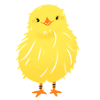
「円のパラメータ表示」を使って、ひよこを半円ずつ(左半円→右半円→左半円…)上から下へと連結させて動かしています。
円周上の点は角度で表します。
上端は中心から半径 (r) だけ上です。
この位置から開始します。
半円を上端から下端までたどるには、角度の開始・終了と増減方向を決めます。
次の半円も「終点=次の半円の始点」になるように円の中心を半径分だけ下げます。
左半円が終わると、ひよこはその円の「下端」にいます。
次の半円(右半円)も「上端からスタート」させたいので、
終点=次の上端にするため、次の中心は終点より半径rだけ下に置きます。
次の中心は終点のy座標にrを加算した位置に置きます。
これでつなぎ目がなく、連続的に動かします。
if(direction == 0)
{
	//左
	x = cx + r * Math.cos(thetaLeft);
	y = cy + r * Math.sin(thetaLeft);
}
下記のステップのように上から左側に90度の弧を描いて動くための座標を準備します。
x = cx + r * Math.cos(thetaLeft);
y = cy + r * Math.sin(thetaLeft);
Math.con(θ)
直角三角形の、ある角度θに対する底辺の長さを斜辺の長さで割った値です。
cos(θ) = 底辺 / 斜辺
Math.sin(θ)
直角三角形の、ある角度θに対する対辺の長さを斜辺の長さで割った値です。
sin(θ) = 対辺 / 斜辺
円の中心を原点として、半径rの円を考えると
円周上の任意の点(x, y)は、原点からの距離が常にrであるという条件を満たします。
この点を原点からの角度θを表すとき、下記の式で表せます。
x座標
r(半径) * cos(θ)
y座標
r(半径) * sin(θ)
if(direction == 0)
{
	if (thetaLeft > endAngleLeft)
	{
		thetaLeft -= speed;
	}
	else
	{
		thetaLeft = startAngleLeft;
		//次のy座標
		//50:r(半径)の高さの分だけ下にします
		cy=y+50;
		direction=1;
	}
}
if (thetaLeft > endAngleLeft)
半弧を動き終わるまでという条件です。
thetaLeft -= speed;
角度を小さくします。
※右側は増加していきます。
direction=1;
右側に判定処理を設定します。
右側の考え方は左側と同じです。
if(y<300)
{
	//再帰的にアニメーションを呼び出し
	animId=requestAnimationFrame(test);
}
animId=requestAnimationFrame(test);
下の枠に移動していないので、再度キャラを移動するtest関数を実行させます。
下枠に隠れた場合は、そのまま処理を関数を終了するので、処理が終了します。
stopBtn.addEventListener('click', () =>
	{
	cancelAnimationFrame(animId);
});
cancelAnimationFrame(animId);
requestAnimationFrameの戻り値のidを指定してキャンセルすることができます。
戻る back| Moves from top to bottom through a semicircular arc |
| After the left semicircle is completed, move the right semicircle. |
[sample]
[HTML/CSS]
copy
const chick = document.getElementById('chick');
const stopBtn = document.getElementById('stop');
const wall = document.getElementById('wall');
//stop button
stopBtn.style.left = 0 + 'px';
stopBtn.style.top = 300 + 'px';
//The white wall at the bottom (to make characters that move to the bottom frame gradually disappear from view)
wall.style.left = 0 + 'px';
wall.style.top = 300 + 'px';
let stop = 0;//[0] Operational [1] Stopped
let still = 0;//[0] Not running [1] Running
let animId = null;
//Start and end angles
const startAngleLeft = -Math.PI / 2;// Angle pointing to the top (north)
let thetaLeft = startAngleLeft;
//Used for the right semicircle
const startAngleRight = -Math.PI  / 2; // top end
const endAngleRight  = Math.PI  / 2; // v
//Used for the left semicircle
const endAngleLeft = startAngleLeft - Math.PI;
let thetaRight = startAngleRight;
//Angle Increment
const speed = 0.02;
let cx = 50;
let cy = 50;
const r = 50;
//Character's initial position
chick.style.left = 50 + 'px';
chick.style.top = 50 + 'px';
let direction = 0;
//Recursively calling animations
requestAnimationFrame(test);
//Up and down movement
function test()
{
	//Draw a character (small circle)
	if(direction == 0)
	{
		//left
		x = cx + r * Math.cos(thetaLeft);
		y = cy + r * Math.sin(thetaLeft);
	}
	else
	{
		//right
		x = cx + r * Math.cos(thetaRight);
		y = cy + r * Math.sin(thetaRight);
	}
	//Update character position
	chick.style.left = x + 'px';
	chick.style.top = y + 'px';
	//Update the angle and loop until the goal is reached
	//left
	if(direction == 0)
	{
		if (thetaLeft > endAngleLeft)
		{
			thetaLeft -= speed;
		}
		else
		{
			thetaLeft = startAngleLeft;
			//Next y coordinate
			//50:Lower it by the height of a radius
			cy=y+50;
			direction=1;
		}
	}
	else
	{
		//right
		if (thetaRight < endAngleRight)
		{
			thetaRight += speed;
		}
		else
		{
			thetaRight = startAngleRight;
			//Next y coordinate
			//50:Lower it by the height of the character
			cy = y + 50;
			direction = 0;
		}
	}
	if(y<300)
	{
		//Recursively calling animations
		animId=requestAnimationFrame(test);
	}
}

//Stop button
stopBtn.addEventListener('click', () =>
{
	cancelAnimationFrame(animId);
});
Using "Circle Parametric Display," the chick moves in connected semicircles from top to bottom (left semicircle → right semicircle → left semicircle, etc.).
Points on the circumference are represented by angles.
The top end is a radius (r) above the center.
We'll start from this position.
To trace the semicircle from top to bottom, we decide the start and end angles and the direction of increase/decrease.
For the next semicircle, we also lower the center of the circle by the radius so that the end point = the start point of the next semicircle.
When the left semicircle ends, the chick will be at the bottom of that circle.
We want the next semicircle (right semicircle) to also start from the top,
so the end point = the next top point, so the next center is placed a radius r below the end point.
The next center is placed where r is added to the y coordinate of the end point.
This allows for seamless, continuous movement.
if(direction == 0)
{
	//left
	x = cx + r * Math.cos(thetaLeft);
	y = cy + r * Math.sin(thetaLeft);
}
Prepare the coordinates to move in a 90-degree arc from top to left as shown in the steps below.
x = cx + r * Math.cos(thetaLeft);
y = cy + r * Math.sin(thetaLeft);
Math.con(θ)
In a right triangle, cos(θ) is the length of the base divided by the length of the hypotenuse for a given angle θ.
cos(θ) = base / hypotenuse
Math.sin(θ)
This is the length of the base of a right triangle at an angle θ divided by the length of the hypotenuse.
cos(θ) = Base / Hypotenuse
Math.sin(θ)
This is the length of the opposite side of a right triangle at an angle θ divided by the length of the hypotenuse.
sin(θ) = Opposite Side / Hypotenuse
Consider a circle with radius r, with its center at the origin.
Any point (x, y) on the circumference satisfies the condition that its distance from the origin is always r.
The angle θ from this point to the origin can be expressed using the following formula.
x coordinate
r(radius) * cos(θ)
y-coordinate
r(radius) * sin(θ)
if(direction == 0)
{
	if (thetaLeft > endAngleLeft)
	{
		thetaLeft -= speed;
	}
	else
	{
		thetaLeft = startAngleLeft;
		//Next y coordinate
		//50:Lower it by the height of a radius
		cy=y+50;
		direction=1;
	}
}
if (thetaLeft > endAngleLeft)
The condition is to complete the half arc.
thetaLeft -= speed;
Decrease the angle.
*The right side increases.
direction=1;
Set the judgment process on the right side.
The concept on the right side is the same as on the left side.
if(y<300)
{
	//Recursively calling animations
	animId=requestAnimationFrame(test);
}
animId=requestAnimationFrame(test);
Since the character has not yet moved to the bottom frame, we run the test function to move the character again.
If the character is hidden by the bottom frame, the function will simply terminate processing, and the process will end.
stopBtn.addEventListener('click', () =>
	{
	cancelAnimationFrame(animId);
});
cancelAnimationFrame(animId);
You can cancel an animation by specifying the id returned by requestAnimationFrame.
back