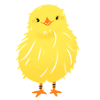
const lastIndex = 9;//Index of the last square
let index = 0;
//Added for chick walking judgment
let flgStop = 1;//[0] Operable [1] Stopped
let diceValue = 0;
const aryX=[150,150,150,150,100,50,0,0,0,0];
const aryY=[0,50,100,150,150,150,150,100,50,0];
intiMap();
//Set the map route
function intiMap()
{
	//path
	for(i=0; i < aryX.length; i++)
	{
		const obj = document.getElementById("map"+i);
		obj.style.left = aryX[i] +'px';
		obj.style.top = aryY[i] +'px';
	}
	//Set the chick to its initial position
	moveChick()
}
const b1 = document.getElementById("btn1");
b1.addEventListener("click", () =>
{
	//Roll the dice
	diceNumber();
});
const b2 = document.getElementById("btn2");
b2.addEventListener("click", () =>
{
	//Reset
	mapReset();
});
//Roll the dice
function diceNumber()
{
	if(flgStop == 0) return;
	//Get the number on the dice
	diceValue = dice();
	//Show Dice
	displayDice();
	//Goal determination process
	judgeGoal();
}
//Goal determination process
function judgeGoal()
{
	flgStop = 0;//operational
	let restCount = diceValue;

	const intervalId = setInterval(() =>
	{
		// Stop conditions
		if (restCount <= 0 || index >= lastIndex)
		{
			clearInterval(intervalId);
			flgStop = 1;
			judgeEnd();
			return;
		}

		index++;
		moveChick();
		restCount--;
	}, 1000);
}
function judgeEnd()
{
	flgStop = 1;
	if(index < lastIndex)
	{
		return;
	}
	//Hide the button.
	const b1 = document.getElementById("btn1");
	b1.style.visibility="hidden";
	//Displays the goal message.
	alert("Congratulations! \nreached the goal.");
}
//Get the number on the dice
function dice()
{
	const start = 1;
	const end = 6;
	//Returns an integer in the specified range
	return Math.floor(Math.random() * (end - start + 1)) + start;
}
//Show Dice
function displayDice()
{
	//Please prepare a picture of the dice
	let file = "";
	switch(number)
	{
		case 1:
			file = "dice1.png";
			break;
		case 2:
			file = "dice2.png";
			break;
		case 3:
			file = "dice3.png";
			break;
		case 4:
			file = "dice4.png";
			break;
		case 5:
			file = "dice5.png";
			break;
		case 6:
			file = "dice6.png";
			break;
	}
	const img = document.getElementById("dice");
	img.src = img;
}
//Change chick location
function moveChick()
{
	//chick
	const obj = document.getElementById("hiyoko");
	obj.style.left = aryX[index] +'px';
	obj.style.top = aryY[index] +'px';
}
//Reset
function mapReset()
{
	index = 0;
	//Added for chick walking judgment
	flgStop = 1;//[0] Operable [1] Stopped
	diceValue = 0;
	moveChick();
	//Make the dice roll button visible
	const b1 = document.getElementById("btn1");
	b1.style.visibility = "visible";
}
function judgeGoal()
The chick moves forward the number of times the dice are rolled. However, if the chick reaches the goal, it stops at the last 10 squares and then displays a message.
To execute this process, we use "setInterval". setInterval is a timer that repeatedly executes a callback function at a specified interval (milliseconds). setInterval returns a positive integer return value (ID) that identifies the timer. *Normally, this is a positive integer value starting from 1. If you execute the clearInterval function using this return value (ID), it will stop the timer that matches the return value (ID). This setInterval continues the timer until clearInterval is executed, so use a conditional statement to manually stop the process.
let restCount = diceValue;
Assume the number of dice is the maximum number of loops. I use the word "assume" because there is a process called the goal. Even if you roll the dice, you won't get a number that stops exactly at the goal. For that reason, we have implemented a branching process that stops the timer if the goal is reached. These are the steps below.
if (restCount <= 0 || index >= lastIndex)
(1) restCount <= 0 The chicks have been moved forward by the number of dots on the dice.
(2) index >= lastIndex The chicks have been moved to the last index of the array.
If the above (1) or (2) is met, the timer is stopped by executing clearInterval(intervalId); and the end judgment process is executed. function judgeEnd(lang)
[Acknowledgements]
images used are from "illustration by nawmin.com" Thank you very much.