let index = 0;
const aryX=[150,150,150,150,100,50,0,0,0,0];
const aryY=[0,50,100,150,150,150,150,100,50,0];
intiMap();
//Set the map route
function intiMap()
{
	//path
	for(i=0; i < aryX.length; i++)
	{
		const obj = document.getElementById("map"+i);
		obj.style.left = aryX[i] +'px';
		obj.style.top = aryY[i] +'px';
	}
	//Set the chick to its initial position
	moveChick()
}
const b1 = document.getElementById("btn1");
b1.addEventListener("click", () =>
{
	//Roll the dice
	diceNumber();
});
const b2 = document.getElementById("btn2");
b2.addEventListener("click", () =>
{
	//Reset
	mapReset();
});
//Roll the dice
function diceNumber()
{
	//Get the number on the dice
	let number = dice();
	//Show Dice
	displayDice(number);
	index += number;
	//Goal determination process
	judgeGoal();
}
//Goal determination process
function judgeGoal()
{
	if(index >= 9)
	{
		//Make it the last position
		index=9;
	}
	//Move the chick.
	moveChick();
	setTimeout(() =>
	{
		if(index < 9)
		{
			return;
		}
		//Hide the button.
		const b1 = document.getElementById("btn1");
		b1.style.visibility="hidden";
		//Shows the goal message。
		alert("Congratulations! \nreached the goal.");
	}, 0);
}
//Get the number on the dice
function dice()
{
	const start = 1;
	const end = 6;
	//Returns an integer in the specified range
	return Math.floor(Math.random() * (end - start + 1)) + start;
}
//Show Dice
function displayDice(number)
{
	//Please prepare a picture of the dice
	let file = "";
	switch(number)
	{
		case 1:
			file = "dice1.png";
			break;
		case 2:
			file = "dice2.png";
			break;
		case 3:
			file = "dice3.png";
			break;
		case 4:
			file = "dice4.png";
			break;
		case 5:
			file = "dice5.png";
			break;
		case 6:
			file = "dice6.png";
			break;
	}
	const img = document.getElementById("dice");
	img.src = img;
}
//Change chick location
function moveChick()
{
	//chick
	const obj = document.getElementById("hiyoko");
	obj.style.left = aryX[index] +'px';
	obj.style.top = aryY[index] +'px';
}
//Reset
function mapReset()
{
	index = 0;
	moveChick();
	const b1 = document.getElementById("btn1");
	b1.style.visibility="visible";
}
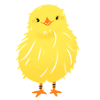
The green areas are where the chicks pass. This is an example where the location changes by the number of dots on the dice when you roll them. Select the reset button to return to the initial position. The size of the chicks' path is set in ".layer2".
intiMap()
This function sets the green path and the chicks' initial position.
diceNumber()
The process of rolling the dice is being executed.
judgeGoal()
Move the chick to the number of squares determined by the dice roll. There are 10 squares in this array. aryX and aryY are the green map positions, and are the path the chick will take. The index position is used as the concept in this sample program, and The starting position is index 0. If the dice number is 3, then index = 0 (current index position) + 3 (number on the dice); index = 3; Move the chick to the coordinates of the array element of array element 3.
if(index >= 9)
The goal is index position 9, so the condition is not to go any further. Therefore, even if the index value exceeds 9 due to the addition of the dice number, it is corrected to 9. Since this is a goal determination, if the goal has not been reached, this process will be terminated. If the goal has been reached, the following process is executed: (1) Hide the dice button (2) Display a message
mapReset()
Performs the reset process. Returns the chick to its initial position. The index variable is also reset because the chick is returned to its initial position. The dice button is displayed again.
[Acknowledgements]
images used are from "illustration by nawmin.com" Thank you very much.