戻るサンプル
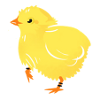
| ひよこの座標 | 大豆の座標 |
| ひよこの中心座標 | 大豆の中心座標 |
copy
//大豆の座標配列
const aryX=[0,50,150];//left
const aryY=[150,0,150];//top
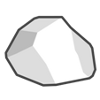
//岩(グレー) x:100 y:50
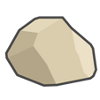
//岩(茶)    x:50 y:100
const aryRockX=[50,100];
const aryRockY=[100,50];
const imageSize=50;//画像のサイズ(ひよこ/大豆/岩のいずれも同じにしています)
let index=0;
//大豆の位置
daizuPosition();
//現在の大豆の位置
currentDaizuPosition();
//岩の座標位置を表示
displayRockPosition();
let x=150;//キャラクターのx座標位置(初期値はキャラの初期座標位置)
let y=150;//キャラクターのy座標位置(初期値はキャラの初期座標位置)
//ひよこのスタート位置
initChickPosition();
//ひよこの位置情報表示
currentChickPosition();
let score = 0;
const b1 = document.getElementById("btn1");
const b2 = document.getElementById("btn2");
const b3 = document.getElementById("btn3");
const b4 = document.getElementById("btn4");
const leftPosition=0;//左枠の位置
const rightPosition=200-imageSize;//枠の幅 - 画像の幅
const upPosition=0;//枠の上
const downPosition=200-imageSize;//枠の幅高さ- 画像の高さ
let moveDistance=10;//移動距離
//左へ
b1.addEventListener("click", () =>
{
	moveCharacterImage(1);
});
//右へ
b2.addEventListener("click", () =>
{
	moveCharacterImage(2);
});
//上へ
b3.addEventListener("click", () =>
{
	moveCharacterImage(3);
});
//下へ
b4.addEventListener("click", () =>
{
	moveCharacterImage(4);
});
//direction:
//1:左へ移動
//2:右へ移動
//3:上へ移動
//4:下へ移動
function moveCharacterImage(direction)
{
	const obj = document.getElementById("hiyoko");
	const img = document.getElementById("img");
	switch(direction)
	{
		case 1://左
			img.src="nawmin_sample6.png";
			x-=moveDistance;
			if(x < leftPosition)
			{
				x=-5;//10;//微調整
			}
			obj.style.left = x +'px';
			if(x < 0)x=0;
			break;
		case 2://右
			img.src="nawmin_sample9.png";
			x+=moveDistance;
			if(x > rightPosition)
			{
				x = rightPosition;//+5;//微調整
			}
			obj.style.left = x +'px';
			if(x > rightPosition)x = rightPosition;
			break;
		case 3://上
			img.src="nawmin_sample10.png";
			y-=moveDistance;
			if(y < upPosition)
			{
				y=upPosition;//-5;//微調整
			}
			obj.style.top = y +'px';
			if(y < 0)y=0;
			break;
		case 4://下
			img.src="nawmin_sample10.png";
			y+=moveDistance;
			if(y > downPosition)
			{
				y = downPosition;//微調整
			}
			obj.style.top = y +'px';
			if(y > downPosition)y = downPosition;
			break;
	}
	//岩との衝突判定処理
	judgeRock(direction);
	//大豆判定処理
	judgeFeed();
	//ひよこの現在位置情報表示
	currentChickPosition();
}
//岩との衝突判定処理
function judgeRock(direction)
{
	let x1 = x;
	let y1 = y;
	let x2 = 0;
	let y2 = 0;
	let xx = 0;
	let yy = 0;
	let xy = 0;
	let r = 0;
	let result =0;
	for(i=0;i < aryRockX.length;i++)
	{
		result =0;
		x2 = aryRockX[i];
		y2 = aryRockY[i];
		//ひよこのx/y座標
		x1 = x + imageSize/2;
		y1 = y + imageSize/2;
		//岩のx/y座標
		x2+=imageSize/2;
		y2+=imageSize/2;
		//ひよこと岩のx座標の差分の絶対値
		xx=Math.abs(x1-x2);
		//ひよこと大豆のy座標の差分の絶対値
		yy=Math.abs(y1-y2);
		//絶対値の累乗(xとy)を計算
		xy=Math.pow(xx,2) + Math.pow(yy,2);
		//ルート計算
		r=Math.sqrt(xy);
		//if(r<=50)//ピッタリ接触(ひよこの半分:25 + 岩の半分:25)
		if(r<=49)//微調整
		{
			result =1;//あたり
		}
		else
		{
			continue;
		}
		//岩に埋まらないようにひよこの位置を戻します
		switch(direction)
		{
			case 1://左
				x += moveDistance;
				break;
			case 2://右
				x -= moveDistance;
				break;
			case 3://上
				y += moveDistance;
				break;
			case 4://下
				y -= moveDistance;
				break;
		}
		if(result ==1)
		{
			break;
		}
	}
}
//大豆判定処理
function judgeFeed()
{
	let result= 0;
	//ひよこ判定
	result =judgeHiyoko(aryX[index],aryY[index]);
	if(result == 1)
	{
		index++;
		if(index==aryX.length)index=0;
		//大豆の位置
		daizuPosition();

		//大豆の位置を反映
		//スコアにインクリメントした結果を反映
		score++;
		const point = document.getElementById("score");
		point.textContent = score;
		//大豆の位置情報表示
		currentDaizuPosition();
	}
}
//大豆の位置
function daizuPosition()
{
	const daizu = document.getElementById("daizu");
	daizu.style.top = aryY[index] +'px';
	daizu.style.left = aryX[index] +'px';
}
//ひよこ判定
//大豆との判定処理
//x2:x座標
//y2:y座標
//kind:種類
//1:岩
//2:大豆
function judgeHiyoko(x2, y2)
{
	let result =0;
	//ひよこのx/y座標
	let x1=x+imageSize/2;
	let y1=y+imageSize/2;
	//大豆のx/y座標
	x2+=imageSize/2;
	y2+=imageSize/2;
	//ひよこと大豆のx座標の差分の絶対値
	let xx=Math.abs(x1-x2);
	//ひよこと大豆のy座標の差分の絶対値
	let yy=Math.abs(y1-y2);
	//絶対値の累乗(xとy)を計算
	let xy=Math.pow(xx,2) + Math.pow(yy,2);
	//ルート計算
	let r=Math.sqrt(xy);
	//if(r<=50)//ピッタリ接触(ひよこの半分:25 + 大豆の半分:25)
	if(r<=25)//微調整
	{
		result =1;//あたり
	}
	return result;
}
//ひよこのスタート位置
function initChickPosition()
{
	const chick = document.getElementById("hiyoko");
	chick.style.left = x +'px';
	chick.style.top = y +'px';
}
//岩の座標位置を表示
function displayRockPosition()
{
	//岩(グレー)
	const rock1_x = document.getElementById("rock1_x");
	rock1_x.textContent = aryRockX[0];
	const rock1_y = document.getElementById("rock1_y");
	rock1_y.textContent = aryRockY[0];
	const rock1 = document.getElementById("rock1");
	rock1.style.left = aryRockX[0] +'px';
	rock1.style.top = aryRockY[0] +'px';
	//岩(茶)
	const rock2_x = document.getElementById("rock2_x");
	rock2_x.textContent = aryRockX[1];
	const rock2_y = document.getElementById("rock2_y");
	rock2_y.textContent = aryRockY[1];
	const rock2 = document.getElementById("rock2");
	rock2.style.left = aryRockX[1] +'px';
	rock2.style.top = aryRockY[1] +'px';
}
//大豆の座標位置を表示
function currentDaizuPosition()
{
	//x座標 y座標
	const pos = document.getElementById("daizu_pos");
	pos.textContent = "x:"+aryX[index]+" y:"+aryY[index];
	//中心座標
	const posCenter = document.getElementById("daizu_center_pos");
	posCenter.textContent = "x:"+(aryX[index]+imageSize/2)+" y:"+(aryY[index]+imageSize/2);
}
//ひよこの座標位置を表示
function currentChickPosition()
{
	const pos = document.getElementById("hiyoko_pos");
	//x座標 y座標
	pos.textContent = "x:"+x+" y:"+y;
	//中心座標
	const posCenter = document.getElementById("hiyoko_center_pos");
	posCenter.textContent = "x:"+(x+imageSize/2)+" y:"+(y+imageSize/2);
}
岩との衝突判定処理
function judgeRock(direction)
for文で岩の個数分だけ判定処理をします。
//if(r<=50)//ピッタリ接触(ひよこの半分:25 + 岩の半分:25)
if(r<=49)//微調整
{
	result =1;//あたり
}
else
{
	continue;
}
if(r<=49)//微調整
ひよこの画像が岩の隣を通る場合、ぴったりくっついてしまうと衝突とみなされるのを避けるため
微調整として1を少なくしています。
continue;
岩と衝突判定とみなされない場合は、次の岩を判定します。
//岩に埋まらないようにひよこの位置を戻します
switch(direction)
{
	case 1://左
		x += moveDistance;
		break;
	case 2://右
		x -= moveDistance;
		break;
	case 3://上
		y += moveDistance;
		break;
	case 4://下
		y -= moveDistance;
		break;
}
if(result ==1)
{
	break;
}
衝突をするということは、ひよこが進んだということです。
でも衝突をしたということは、これ以上進んではダメなので、
元の位置に戻す必要があります。
例えば、ひよこが左方向に進んだとします。
右側には、岩があるとします。
岩にぶつかってしまい、岩の内部に進んでしまうとダメなので
進んだ左をなかったことにするため、右側にもどしてあげます。
この方法が下記の部分です。
x += moveDistance;
左側にいくとx座標をマイナスにしますが、右側はプラスにします。
一度に進む距離を「moveDistance」の値としているので、
進んだ分だけ右側に戻すため「+」にしています。
if(result ==1)
{
break;
}
あたり判定となったいるため、ループから抜けます。
※ひよこが一度に2個の岩に衝突することは仕様上ないため。
[謝辞]
「イラスト:農民イラスト」さんの画像を使用させていただいております。
ありがとうございます。
「イラスト:ぬれよん」さんの画像を使用させていただいております。
ありがとうございます。
戻る back| Obstacle Detection |
| Judgment process when hitting an obstacle |
sample
| Chick coordinates | Soybean coordinates |
| Chick center coordinates | Soybean center coordinates |
| Rock type | x | y |
| Rock (Gray) | | |
| Rock (brown) | | |
copy
//Soybean coordinate array
const aryX=[0,50,150];//left
const aryY=[150,0,150];//top
//Rock (Gray) x:100 y:50
//Rock (brown)    x:50 y:100
const aryRockX=[50,100];
const aryRockY=[100,50];
const imageSize=50;//Image size (same for chick, soybean, and rock)
let index=0;
//Soybean Location
daizuPosition();
//Current position of soybeans
currentDaizuPosition();
//Show rock coordinates
displayRockPosition();
let x=150;//Character's x-coordinate position (initial value is the character's initial coordinate position)
let y=150;//Character's y coordinate position (initial value is the character's initial coordinate position)
//Chick starting position
initChickPosition();
//Displaying chick location
currentChickPosition();
let score = 0;
const b1 = document.getElementById("btn1");
const b2 = document.getElementById("btn2");
const b3 = document.getElementById("btn3");
const b4 = document.getElementById("btn4");
const leftPosition=0;//Left frame position
const rightPosition=200-imageSize;//frame width - image width
const upPosition=0;//Above the frame
const downPosition=200-imageSize;//Frame width height - Image height
let moveDistance=10;//Distance traveled
//To the left
b1.addEventListener("click", () =>
{
	moveCharacterImage(1);
});
//To the right
b2.addEventListener("click", () =>
{
	moveCharacterImage(2);
});
//Up
b3.addEventListener("click", () =>
{
	moveCharacterImage(3);
});
//Down
b4.addEventListener("click", () =>
{
	moveCharacterImage(4);
});
//direction:
//1:Move Left
//2:Move right
//3:Move Up
//4:Move Down
function moveCharacterImage(direction)
{
	const obj = document.getElementById("hiyoko");
	const img = document.getElementById("img");
	switch(direction)
	{
		case 1://left
			img.src="nawmin_sample6.png";
			x-=moveDistance;
			if(x < leftPosition)
			{
				x=-5;//10;//Fine adjustment
			}
			obj.style.left = x +'px';
			if(x < 0)x=0;
			break;
		case 2://right
			img.src="nawmin_sample9.png";
			x+=moveDistance;
			if(x > rightPosition)
			{
				x = rightPosition;//+5;//Fine adjustment
			}
			obj.style.left = x +'px';
			if(x > rightPosition)x = rightPosition;
			break;
		case 3://up
			img.src="nawmin_sample10.png";
			y-=moveDistance;
			if(y < upPosition)
			{
				y=upPosition;//-5;//Fine adjustment
			}
			obj.style.top = y +'px';
			if(y < 0)y=0;
			break;
		case 4://down
			img.src="nawmin_sample10.png";
			y+=moveDistance;
			if(y > downPosition)
			{
				y = downPosition;//Fine adjustment
			}
			obj.style.top = y +'px';
			if(y > downPosition)y = downPosition;
			break;
	}
	//Collision detection with rocks
	judgeRock(direction);
	//Soybean identification process
	judgeFeed();
	//Chick's current location information
	currentChickPosition();
}
//Collision detection with rocks
function judgeRock(direction)
{
	let x1 = x;
	let y1 = y;
	let x2 = 0;
	let y2 = 0;
	let xx = 0;
	let yy = 0;
	let xy = 0;
	let r = 0;
	let result =0;
	for(i=0;i < aryRockX.length;i++)
	{
		result =0;
		x2 = aryRockX[i];
		y2 = aryRockY[i];
		//Chick's x/y coordinates
		x1 = x + imageSize/2;
		y1 = y + imageSize/2;
		//x/y coordinates of the rock
		x2+=imageSize/2;
		y2+=imageSize/2;
		//Absolute value of the difference between the x coordinates of the chick and the rock
		xx=Math.abs(x1-x2);
		//Absolute value of the difference between the y coordinates of chicks and soybeans
		yy=Math.abs(y1-y2);
		//Calculate the absolute power of (x and y)
		xy=Math.pow(xx,2) + Math.pow(yy,2);
		//Route Calculation
		r=Math.sqrt(xy);
		//if(r<=50)//Exact contact (Half of chick: 25 + Half of rock: 25)
		if(r<=49)//Fine adjustment
		{
			result =1;//hit
		}
		else
		{
			continue;
		}
		//Move the chick back so it doesn't get buried in the rocks.
		switch(direction)
		{
			case 1://left
				x += moveDistance;
				break;
			case 2://right
				x -= moveDistance;
				break;
			case 3://up
				y += moveDistance;
				break;
			case 4://down
				y -= moveDistance;
				break;
		}
		if(result ==1)
		{
			break;
		}
	}
}
//Soybean identification process
function judgeFeed()
{
	let result= 0;
	//Chick Judgment
	result =judgeHiyoko(aryX[index],aryY[index]);
	if(result == 1)
	{
		index++;
		if(index==aryX.length)index=0;
		//Soybean Location
		daizuPosition();

		//Reflects the position of soybeans
		//The incremented score is reflected
		score++;
		const point = document.getElementById("score");
		point.textContent = score;
		//Displaying soybean location information
		currentDaizuPosition();
	}
}
//Soybean Location
function daizuPosition()
{
	const daizu = document.getElementById("daizu");
	daizu.style.top = aryY[index] +'px';
	daizu.style.left = aryX[index] +'px';
}
//Chick determination
//Soybean determination process
//x2: x coordinate
//y2: y coordinate
//kind: type
//1: rock
//2: soybean
function judgeHiyoko(x2, y2)
{
	let result =0;
	//Chick's x/y coordinates
	let x1=x+imageSize/2;
	let y1=y+imageSize/2;
	//Soybean x/y coordinates
	x2+=imageSize/2;
	y2+=imageSize/2;
	//Absolute value of the difference between the x coordinates of chicks and soybeans
	let xx=Math.abs(x1-x2);
	//Absolute value of the difference between the y coordinates of chicks and soybeans
	let yy=Math.abs(y1-y2);
	//Calculate the absolute power of (x and y)
	let xy=Math.pow(xx,2) + Math.pow(yy,2);
	//Route Calculation
	let r=Math.sqrt(xy);
	//if(r<=50)//Perfect contact (half chick: 25 + half soybean: 25)
	if(r<=25)//Fine adjustment
	{
		result =1;//hit
	}
	return result;
}
//Chick starting position
function initChickPosition()
{
	const chick = document.getElementById("hiyoko");
	chick.style.left = x +'px';
	chick.style.top = y +'px';
}
//Show rock coordinates
function displayRockPosition()
{
	//Rock (Gray)
	const rock1_x = document.getElementById("rock1_x");
	rock1_x.textContent = aryRockX[0];
	const rock1_y = document.getElementById("rock1_y");
	rock1_y.textContent = aryRockY[0];
	const rock1 = document.getElementById("rock1");
	rock1.style.left = aryRockX[0] +'px';
	rock1.style.top = aryRockY[0] +'px';
	//Rock (brown)
	const rock2_x = document.getElementById("rock2_x");
	rock2_x.textContent = aryRockX[1];
	const rock2_y = document.getElementById("rock2_y");
	rock2_y.textContent = aryRockY[1];
	const rock2 = document.getElementById("rock2");
	rock2.style.left = aryRockX[1] +'px';
	rock2.style.top = aryRockY[1] +'px';
}
//Display the coordinates of soybeans
function currentDaizuPosition()
{
	//x coordinate y coordinate
	const pos = document.getElementById("daizu_pos");
	pos.textContent = "x:"+aryX[index]+" y:"+aryY[index];
	//x coordinate y coordinate
	const posCenter = document.getElementById("daizu_center_pos");
	posCenter.textContent = "x:"+(aryX[index]+imageSize/2)+" y:"+(aryY[index]+imageSize/2);
}
//Display the coordinates of the chick
function currentChickPosition()
{
	const pos = document.getElementById("hiyoko_pos");
	//x coordinate y coordinate
	pos.textContent = "x:"+x+" y:"+y;
	//center coordinates
	const posCenter = document.getElementById("hiyoko_center_pos");
	posCenter.textContent = "x:"+(x+imageSize/2)+" y:"+(y+imageSize/2);
}
Collision detection with rocks
function judgeRock(direction)
The for statement performs the judgment process for the number of rocks.
//if(r<=50)//Exact contact (Half of chick: 25 + Half of rock: 25)
if(r<=49)//Fine adjustment
{
	result =1;//hit
}
else
{
	continue;
}
if(r<=49)//Fine adjustment
When the chick image passes next to a rock, we subtract 1 as a fine adjustment to avoid it being recognized as a collision if it is too close to the rock.
continue;
If it doesn't collide with the rock, it will check for the next rock.
//Move the chick back so it doesn't get buried in the rocks.
switch(direction)
{
	case 1://left
		x += moveDistance;
		break;
	case 2://right
		x -= moveDistance;
		break;
	case 3://up
		y += moveDistance;
		break;
	case 4://down
		y -= moveDistance;
		break;
}
if(result ==1)
{
	break;
}
If there is a collision, it means that the chick has moved forward.
However, if there is a collision, it cannot move any further, so
it needs to be returned to its original position.
For example, let's say the chick moves to the left.
Let's say there is a rock on the right side.
It would be no good if the chick collided with the rock and went inside the rock,
so to make the left movement go away nonexistent, we return it to the right side.
This method is shown below.
x += moveDistance;
If you go to the left, the x coordinate will be negative, but if you go to the right, it will be positive.
The distance moved at one time is the value of "moveDistance",
We set it to "+" to return the distance moved to the right.
if(result ==1)
{
break;
}
Because it is a collision detection, it will exit the loop.
*The chick will not collide with two rocks at once due to the specifications.
[Acknowledgements]
images used are from "illustration by nawmin.com"
Thank you very much.
images used are from "illustration by nureyon.com"
Thank you very much.
back