戻る| z-indexを使用したキャラの当たり判定 |
| 簡単な当たり判定のサンプル |
サンプル
| ひよこの座標 | 大豆の座標 |
| ひよこの中心座標 | 大豆の中心座標 |
<div class="layer layer2" id="hiyoko" style="width:100px;height:100px;">
<img id="img" src="i3/nawmin_sample6.png" style="width:100px;height:100px;">
</div>
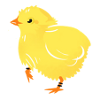
ひよこのdivタグです。
「nawmin_sample6.png」は、ひよこの画像ファイルIDです。
<div class="layer layer3" id="daizu" style="width:50px;height:50px;">
<img src="nawmin_sample8.png" style="width:50px;height:50px;">
</div>
大豆のdivタグです。
「nawmin_sample8.png」は、大豆の画像ファイルIDです。
大豆の座標<div id="daizu_pos"></div>
大豆の座標位置情報を表示するエリアです。
[CSS]
copy
.container{
	position: sticky;
}
.layer{
	width: 200px;
	height: 200px;
	position: absolute;
}
.layer1{
	top: 0px;
	left: 0px;
}
.layer2{
	top: 100px;
	left: 90px;
	z-index:1;
}
.layer3{
	top: 140px;
	left: 20px;
}
「.layer2」はひよこのレイヤーです。
「.layer3」は大豆のレイヤーです。
[javascript]
copy
//大豆の座標配列
const aryX=[20,120,50];
const aryY=[140,0,50];
let index=0;
//大豆の座標位置を表示
currentDaizuPosition();
let score=0;
let x=90;//キャラクターのx座標位置(初期値はキャラの初期座標位置)
let y=100;//キャラクターのy座標位置(初期値はキャラの初期座標位置)
currentHiyokoPosition();
const b1 = document.getElementById("btn1");//左方向ボタン
const b2 = document.getElementById("btn2");//右方向ボタン
const b3 = document.getElementById("btn3");//上方向ボタン
const b4 = document.getElementById("btn4");//下方向ボタン
const leftPosition=0;//枠の左側の位置
const rightPosition=200-100;//枠の幅- 画像の幅
const upPosition=0;//枠の上
const downPosition=200-100;//枠の高さ- 画像の高さ
let moveDistance=10;//移動距離
//左へ
b1.addEventListener("click", () =>
{
	moveCharacterImage(0);
});
//右へ
b2.addEventListener("click", () =>
{
	moveCharacterImage(1);
});
//上へ
b3.addEventListener("click", () =>
{
	moveCharacterImage(2);
});
//下へ
b4.addEventListener("click", () =>
{
	moveCharacterImage(3);
})
//ひよこの移動処理
//direction:
//0:左へ移動
//1:右へ移動
//2:上へ移動
//3:下へ移動
function moveCharacterImage(direction)
{
	const obj = document.getElementById("hiyoko");
	const img = document.getElementById("img");
	if(direction==0)//左
	{
		//パスは環境にあわせて変更してください
		img.src="nawmin_sample6.png";
		x-=moveDistance;
		if(x < leftPosition)
		{
			x=-10;//微調整
		}
		obj.style.left = x +'px';
		if(x<0)x=0;
	}
	else if(direction==1)//右
	{
		//パスは環境にあわせて変更してください
		img.src="nawmin_sample9.png";
		x+=moveDistance;
		if(x > rightPosition)
		{
			x=rightPosition+5;//微調整
		}
		obj.style.left = x +'px';
		if(x>rightPosition)x=rightPosition;
	}
	else if(direction==2)//上
	{
		//パスは環境にあわせて変更してください
		img.src="nawmin_sample10.png";
		y-=moveDistance;
		if(y>upPosition)
		{
			y=upPosition-5;//微調整
		}
		obj.style.top = y +'px';
		if(y<0)y=0;
	}
	else if(direction==3)//下
	{
		//パスは環境にあわせて変更してください
		img.src="nawmin_sample10.png";
		y+=moveDistance;
		if(y>downPosition)
		{
			y=downPosition;//微調整
		}
		obj.style.top = y +'px';
		if(y>downPosition)y=downPosition;
	}
	//大豆のあたり判定
	judgeFeed();
	currentHiyokoPosition();
}
//大豆のあたり判定
function judgeFeed()
{
	let result = 0;
	result = judgeHiyoko();
	if(result == 1)
	{
		//次の配列インデックスを準備します
		index++;
		if(index==aryX.length)index=0;
		//大豆の位置を反映
		const daizu = document.getElementById("daizu");
		daizu.style.top = aryY[index] +'px';
		daizu.style.left = aryX[index] +'px';
		//スコアを加算した結果を反映
		score++;
		const point = document.getElementById("score");
		point.textContent = score;
		//大豆の座標位置を表示
		currentDaizuPosition();
	}
}
//ひよこ判定
function judgeHiyoko()
{
	let result =0;
	//ひよこのx/y座標
	let x1=x+100/2;
	let y1=y+100/2;
	//大豆のx/y座標
	let x2=aryX[index]+50/2;
	let y2=aryY[index]+50/2;
	//ひよこと大豆のx座標の差分の絶対値
	let xx=Math.abs(x1-x2);
	//ひよこと大豆のy座標の差分の絶対値
	let yy=Math.abs(y1-y2);
	//絶対値の累乗(xとy)を計算
	let xy=Math.pow(xx,2) + Math.pow(yy,2);
	//ルート計算
	let r=Math.sqrt(xy);
	//if(r<=75)//ピッタリ接触(ひよこの半分:50 + 大豆の半分:25)
	if(r<=30)//微調整
	{
		result =1;//あたり
	}
	return result;
}
//大豆の座標位置を表示
function currentDaizuPosition()
{
	//x座標 y座標
	const pos = document.getElementById("daizu_pos");
	pos.textContent = "x:"+aryX[index]+" y:"+aryY[index];
	//中心座標
	const posCenter = document.getElementById("daizu_center_pos");
	posCenter.textContent = "x:"+(aryX[index]+25)+" y:"+(aryY[index]+25);
}
//ひよこの座標位置を表示
function currentHiyokoPosition()
{
	const pos = document.getElementById("hiyoko_pos");
	//x座標 y座標
	pos.textContent = "x:"+x+" y:"+y;
	//中心座標
	const posCenter = document.getElementById("hiyoko_center_pos");
	posCenter.textContent = "x:"+(x+50)+" y:"+(y+50);
}
ひよこが大豆にぶつかったらスコアが加算されるサンプルです。
ひよこと大豆の中心座標の距離を三平方の定理で距離を計算します。
そのため、ひよこと大豆、それぞれのx中心座標とy中心座標を取得して
1:ひよこと大豆のx座標の差分
2:ひよこと大豆のy座標の差分
を求めます。
1と2の計算結果は距離を知りたいため絶対値にします。
1(x差分)と2(y差分)をそれぞれ累乗した結果を加算します。
上記のたし算をした結果をルートにすることで、三平方の定理の斜線の長さを求められます。
この計算結果がひよこの半分の長さと大豆の半分の長さと一致している場合は衝突したと考えれます。
この判定方法が
if(r<=75)//ピッタリ接触(ひよこの半分:50 + 大豆の半分:25)
という判定方法です。
しかし、画像には透過色の余白があるため、視覚的に有効なあたり判定にするため
この判定処理では下記の判定方法にしています。
if(r<=30)//微調整
[謝辞]
「イラスト:農民イラスト」さんの画像を使用させていただいております。
ありがとうございます。
戻る back| Character collision detection using z-index |
| A simple example of collision detection |
sample
| chick coordinate | soybean coordinate |
| chick center coordinate | soybean center coordinate |
<div class="layer layer2" id="hiyoko" style="width:100px;height:100px;">
<img id="img" src="i3/nawmin_sample6.png" style="width:100px;height:100px;">
</div>
This is the div tag for the chick.
"nawmin_sample6.png" is the image file ID for the chick.
<div class="layer layer3" id="daizu" style="width:50px;height:50px;">
<img src="nawmin_sample8.png" style="width:50px;height:50px;">
</div>
This is the div tag for soybeans.
"nawmin_sample8.png" is the image file ID for soybeans.
Soybean coordinates <div id="daizu_pos"></div>
This is the area that displays the coordinate location information for soybeans.
[CSS]
copy
.container{
	position: sticky;
}
.layer{
	width: 200px;
	height: 200px;
	position: absolute;
}
.layer1{
	top: 0px;
	left: 0px;
}
.layer2{
	top: 100px;
	left: 90px;
	z-index:1;
}
.layer3{
	top: 140px;
	left: 20px;
}
".layer2" is the chick layer.
".layer3" is the soybean layer.
[javascript]
copy
//Soybean coordinate array
const aryX=[20,120,50];
const aryY=[140,0,50];
let index=0;
//Display the coordinates of soybeans
currentDaizuPosition();
let score=0;
let x=90;//Character's x coordinate position (initial value is the character's initial coordinate position)
let y=100;//Character's y coordinate position (initial value is the character's initial coordinate position)
currentHiyokoPosition();
const b1 = document.getElementById("btn1");//Left Arrow Button
const b2 = document.getElementById("btn2");//Right button
const b3 = document.getElementById("btn3");//Up button
const b4 = document.getElementById("btn4");//Down button
const leftPosition=0;//Left position of frame
const rightPosition=200-100;//Width of frame - width of image
const upPosition=0;//Top of frame
const downPosition=200-100;//Height of frame - height of image
let moveDistance=10;//Movement distance
//To the left
b1.addEventListener("click", () =>
{
	moveCharacterImage(0);
});
//right
b2.addEventListener("click", () =>
{
	moveCharacterImage(1);
});
//up
b3.addEventListener("click", () =>
{
	moveCharacterImage(2);
});
//down
b4.addEventListener("click", () =>
{
	moveCharacterImage(3);
})
//Chick movement process
//direction:
//0: Move left
//1: Move right
//2: Move up
//3: Move down
function moveCharacterImage(direction)
{
	const obj = document.getElementById("hiyoko");
	const img = document.getElementById("img");
	if(direction==0)//left
	{
		//Please change the path according to your environment.
		img.src="nawmin_sample6.png";
		x-=moveDistance;
		if(x < leftPosition)
		{
			x=-10;//Fine adjustment
		}
		obj.style.left = x +'px';
		if(x<0)x=0;
	}
	else if(direction==1)//right
	{
		//Please change the path according to your environment.
		img.src="nawmin_sample9.png";
		x+=moveDistance;
		if(x > rightPosition)
		{
			x=rightPosition+5;//Fine adjustment
		}
		obj.style.left = x +'px';
		if(x>rightPosition)x=rightPosition;
	}
	else if(direction==2)//up
	{
		//Please change the path according to your environment.
		img.src="nawmin_sample10.png";
		y-=moveDistance;
		if(y>upPosition)
		{
			y=upPosition-5;//Fine adjustment
		}
		obj.style.top = y +'px';
		if(y<0)y=0;
	}
	else if(direction==3)//down
	{
		//Please change the path according to your environment.
		img.src="nawmin_sample10.png";
		y+=moveDistance;
		if(y>downPosition)
		{
			y=downPosition;//Fine adjustment
		}
		obj.style.top = y +'px';
		if(y>downPosition)y=downPosition;
	}
	//Soybean hit detection
	judgeFeed();
	currentHiyokoPosition();
}
//Soybean hit detection
function judgeFeed()
{
	let result =0;
	result judgeHiyoko();
	if(result == 1)
	{
		//Prepare the next array index
		index++;
		if(index==aryX.length)index=0;
		//Reflects the position of soybeans
		const daizu = document.getElementById("daizu");
		daizu.style.top = aryY[index] +'px';
		daizu.style.left = aryX[index] +'px';
		//Reflect the result of adding the score
		score++;
		const point = document.getElementById("score");
		point.textContent = score;
		//Display the coordinates of soybeans
		currentDaizuPosition();
	}
}
//judge chick
function judgeHiyoko()
{
	let result =0;
	//chick x/y coordinate
	let x1=x+100/2;
	let y1=y+100/2;
	//soybean x/y coordinate
	let x2=aryX[index]+50/2;
	let y2=aryY[index]+50/2;
	//chick and soybean absolute value of the difference in x coordinates
	let xx=Math.abs(x1-x2);
	//chick and soybean value of the difference in y coordinates
	let yy=Math.abs(y1-y2);
	//absolute value power(x and y) calculate
	let xy=Math.pow(xx,2) + Math.pow(yy,2);
	//root calculation
	let r=Math.sqrt(xy);
	//if(r<=75)//just the right contact(chick half:50 + soyabean half:25)
	if(r<=30)//fine adjustment
	{
		result =1;//hit
	}
	return result;
}
//Display the coordinates of soybeans
function currentDaizuPosition()
{
	//x coordinate y coordinate
	const pos = document.getElementById("daizu_pos");
	pos.textContent = "x:"+aryX[index]+" y:"+aryY[index];
	//center coordinate
	const posCenter = document.getElementById("daizu_center_pos");
	posCenter.textContent = "x:"+(aryX[index]+25)+" y:"+(aryY[index]+25);
}
//Display the coordinates of chick
function currentHiyokoPosition()
{
	const pos = document.getElementById("hiyoko_pos");
	//x coordinate y coordinate
	pos.textContent = "x:"+x+" y:"+y;
	//center coordinate
	const posCenter = document.getElementById("hiyoko_center_pos");
	posCenter.textContent = "x:"+(x+50)+" y:"+(y+50);
}
This is a sample where a score is added if the chick collides with the soybean.
The distance between the center coordinates of the chick and the soybean is calculated using Pythagoras' theorem.
To do this, obtain the x and y center coordinates of the chick and the soybean, and calculate
1: the difference between the x coordinates of the chick and the soybean
2: the difference between the y coordinates of the chick and the soybean
The results of 1 and 2 are absolute values because we want to know the distance.
The results of raising 1 (x difference) and 2 (y difference) to their respective powers are added.
The length of the diagonal line in Pythagoras' theorem can be found by taking the result of the above addition as the root.
If this calculation result matches the half length of the chick and the half length of the soybean, it is considered that a collision has occurred.
This determination method is called
if(r<=75)//exact contact (half of the chick: 50 + half of the soybean: 25)
However, since the image has a transparent margin, in order to make the hit determination visually valid,
the following judgment method is used in this judgment process.
if(r<=30) // Fine-tuning
[Acknowledgements]
images used are from "illustration by nawmin.com"
Thank you very much.
back