戻る| z-indexを使用したキャラの移動 |
| 簡単なキャラの移動処理 |
サンプル
[CSS]
copy
.container{
	position: sticky;
}
.layer{
	width: 200px;
	height: 200px;
	position: absolute;
}
.layer1{
	top: 0px;
	left: 0px;
}
.layer2{
	top: 100px;
	left: 90px;
}
cssの「.layer」でpositionをabsoluteにすることで、このエリアを基準に
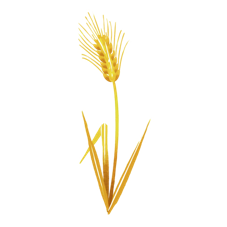
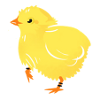
「.layer」に結びつけた小麦とひよこの配置が可能となります。
[javascript]
copy
let x=90;//キャラクターの位置(初期値はキャラの初期座標位置)
const b1 = document.getElementById("btn1");
const b2 = document.getElementById("btn2");
let leftPosition=0;//枠の左側の位置
let rightPosition=200-100;//枠の幅 - 画像の幅
let moveDistance=10;//移動距離
//左へ
b1.addEventListener("click", () =>
{
	moveCharacterImage(0);
});
//右へ
b2.addEventListener("click", () =>
{
	moveCharacterImage(1);
});
//キャラクターの移動
//direction:
//0:左へ移動
//1:右へ移動
function moveCharacterImage(direction)
{
	const obj = document.getElementById("hiyoko");
	const img = document.getElementById("img");
	if(direction==0)
	{
		//画像のパスを環境にあわせて変更してください
		img.src="nawmin_sample6.png";
		x-=moveDistance;
		if(x < leftPosition)
		{
			x=-10;//微調整
		}
		obj.style.left =x +'px';
	}
	else
	{
		//画像のパスを環境にあわせて変更してください
		img.src="nawmin_sample9.png";
		x+=moveDistance;
		if(x > rightPosition)
		{
			x=rightPosition+5;//微調整
		}
		obj.style.left =x +'px';
	}
}
const obj = document.getElementById("hiyoko");
ひよこのレイアウトとなるdivタグです。
const img = document.getElementById("img");
ひよこの画像オブジェクトを取得します。
向きによって、画像を切り替えます。
このサンプルでは下記の画像を使用しています。
左:nawmin_sample6.png
右:nawmin_sample9.png
x=-10;//微調整
および
x=rightPosition+5;//微調整
この微調整は画像の余白があります。
この余白のため左側にひよこを寄せても枠から離れた位置にみえることがあります。
この調整をしているのが「微調整」です。
右側に移動したときも、同様の考え方による調整です。
[謝辞]
「イラスト:農民イラスト」さんの画像を使用させていただいております。
ありがとうございます。
戻る back| Moving a character using z-index |
| Simple character movement |
sample
[CSS]
copy
.container{
	position: sticky;
}
.layer{
	width: 200px;
	height: 200px;
	position: absolute;
}
.layer1{
	top: 0px;
	left: 0px;
}
.layer2{
	top: 100px;
	left: 90px;
}
By setting the position to absolute in the CSS ".layer", it becomes possible to position the wheat and chicks linked to ".layer" based on this area.
[javascript]
copy
let x=90;//Character position (initial value is the character's initial coordinate position)
const b1 = document.getElementById("btn1");
const b2 = document.getElementById("btn2");
let leftPosition=0;//Left position of frame
let rightPosition=200-100;//frame width - image width
let moveDistance=10;//Distance traveled
//left
b1.addEventListener("click", () =>
{
	moveCharacterImage(0);
});
//right
b2.addEventListener("click", () =>
{
	moveCharacterImage(1);
});
//Character movement
//direction:
//0:Move Left
//1:Move right
function moveCharacterImage(direction)
{
	const obj = document.getElementById("hiyoko");
	const img = document.getElementById("img");
	if(direction==0)
	{
		//Please change the image path to suit your environment.
		img.src="nawmin_sample6.png";
		x-=moveDistance;
		if(x < leftPosition)
		{
			x=-10;//Fine adjustment
		}
		obj.style.left =x +'px';
	}
	else
	{
		//Please change the image path to suit your environment.
		img.src="nawmin_sample9.png";
		x+=moveDistance;
		if(x > rightPosition)
		{
			x=rightPosition+5;//Fine adjustment
		}
		obj.style.left =x +'px';
	}
}
const obj = document.getElementById("hiyoko");
Div tag for chick layout.
const img = document.getElementById("img");
Gets chick image object.
Image is switched depending on orientation.
This sample uses the following images.
Left: nawmin_sample6.png
Right: nawmin_sample9.png
x=-10;//narrow adjustment
and
x=rightPosition+5;//narrow adjustment
This narrow adjustment has a margin for the image.
Because of this margin, even if you move the chick to the left, it may appear to be far from the frame.
This adjustment is called "fine tuning."
When moving it to the right, the adjustment is made using the same idea.
[Acknowledgements]
images used are from "illustration by nawmin.com"
Thank you very much.
back