戻る| z-indexによる画像の重なり |
z-indexを使用することにより
ブラウザ上で画像を重ねて表現することができます。
|
[CSS]
copy
.container{
	position: sticky;
}
.layer{
	width: 200px;
	height: 200px;
	position: absolute;
}
.layer1{
	top: 0px;
	left: 0px;
}
.layer2{
	top: 100px;
	left: 90px;
}
.layer3{
	top: 140px;
	left: 20px;
}
[使用した画像]
こむぎ | 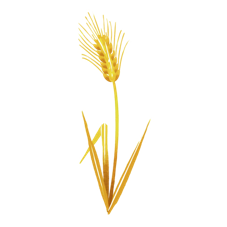 | | nawmin_sample7.png |
| ひよこ | 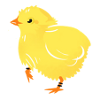 | | nawmin_sample6.png |
| 大豆 |  | | nawmin_sample8.png |
|
sticky要素をスクロールに応じて、親要素を基準に固定します。z-indexを適用できます。
HTMLタグ
<div class="container" style="background-color:palegoldenrod;width: 200px;height: 200px;">
「class="container"」cssの「container」を参照します。
stickyはpositionプロパティです。
ブラウザ上のスクロールする要素に対して、親要素を基準に固定配置します。
他のpositionプロパティの種類は下記のとおりとなります。
| static | 初期値で、位置も重なり順も指定できません(z-indexは使用できません)。 |
| relative | 要素を本来の位置を基準に相対的に配置します。 |
| absolute | 親要素を基準に絶対的な位置に配置します。 |
| fixed | ブラウザのウィンドウを基準に要素を固定します。 |
<div class="layer layer1">
cssの「.layer」と「.layer1」を参照します。
CSS
z-indexは画像の重なりを表現します。
値が大きいほど前面に、小さいほど背面に表示されます。
z-indexは整数を使用して順番を設定できます。
※正の数、負の数、0、auto などの値を指定できます。
z-indexの最大値は、ブラウザによって異なりますが、一般的に2147483647のようです。
z-indexの値を大きくしすぎると、意図しない場所に要素が表示される可能性があります。
デフォルトは0で、明記をしないと最初の要素は一番下に配置されます。
今回の例では
(1) こむぎ
(2) ひよこ
(3) 大豆
でした。
z-indexの明記がないため、上記の順番に下から上に順番に配置されました。
小麦のz-indexを1に設定した例です。
※cssは書き換えたと想定した例となります。
copy
.container{
	position: sticky;
}
.layer{
	width: 200px;
	height: 200px;
	position: absolute;
}
.layer1{
	top: 0px;
	left: 0px;
	z-index:1;/* ここに追加 */
}
.layer2{
	top: 100px;
	left: 90px;
}
.layer3{
	top: 140px;
	left: 20px;
}
ちょっと、分かりづらいサンプルとなりましたが、小麦に、ひよこが隠れているような構図になりました。
このようにz-indexを使用すると画像を重ねたり、構図の表現の幅を広げることができます。
[謝辞]
「イラスト:農民イラスト」さんの画像を使用させていただいております。
ありがとうございます。
戻る back| Image overlap with z-index |
| By using z-index, you can overlap images on the browser. |
[CSS]
copy
.container{
	position: sticky;
}
.layer{
	width: 200px;
	height: 200px;
	position: absolute;
}
.layer1{
	top: 0px;
	left: 0px;
}
.layer2{
	top: 100px;
	left: 90px;
}
.layer3{
	top: 140px;
	left: 20px;
}
[Images used]
sticky
An element is fixed relative to its parent element when scrolled. z-index can be applied.
HTML tag
<div class="container" style="background-color:palegoldenrod;width: 200px;height: 200px;">
"class="container"" refers to the "container" css.
sticky is a position property.
For scrolling elements in the browser, it fixes the position based on the parent aspect.
| static | By default, neither position nor stacking order can be specified (z-index cannot be used). |
| relative | Positions an element relative to its intrinsic position. |
| absolute | Positions the element absolutely relative to the parent element. |
| fixed | Anchors an element relative to the browser window. |
<div class="layer layer1">
Refer to ".layer" and ".layer1" in the css.
CSS
z-index represents the overlap of images.
a larger value brings the element closer to the front, and a smaller value brings it clother to the back.
z-index can be set to an integer to set the order.
you can specify values such as positive numbers, neagtive numbers, 0, and auto.
the maximum z-index value varies depending on the browser, but it is generally set to 2147483647.
if you set the z-index value too high, it may appear in an unintended location.
The default is 0, and if not specified, the first element will be placed at the bottom.
In this example,
(1) Wheat
(2) Chick
(3) Soybean
Since z-index was not specified, they were placed in the above order from bottom to top.
This is an example where the z-index of wheat is set to 1.
*This example assumes that the css has been rewritten.
copy
.container{
	position: sticky;
}
.layer{
	width: 200px;
	height: 200px;
	position: absolute;
}
.layer1{
	top: 0px;
	left: 0px;
	z-index:1;/* Add here */
}
.layer2{
	top: 100px;
	left: 90px;
}
.layer3{
	top: 140px;
	left: 20px;
}
This sample is a little difficult to understand, but the composition looks like a chick is hiding in the wheat.
By using z-index like this, you can overlap images and expand the range of expression of your composition.
[Acknowledgements]
images used are from "illustration by nawmin.com"
Thank you very much.
back